

22 Aug Why Customers Choose Microsoft Azure For Their Sap Solutions
Why Customers Choose Microsoft Azure for their SAP solutions
Why Azure is the most suitable platform for running SAP solutions
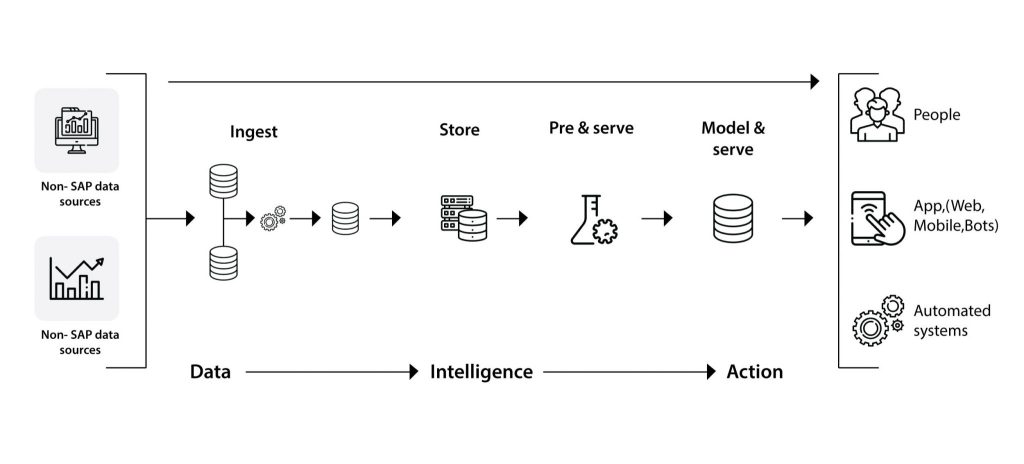
Azure allows customers to unlock critical business insights from their SAP data
With SAP on Azure, customers can bet big on innovation
Innovate with existing Microsoft apps
Customers get to use the best of hybrid solutions
Higher cost-savings and ROI
Customers trust Azure’s enterprise readiness
Trust in security and compliance offerings
Why customers trust Azure to run their SAP applications and solutions
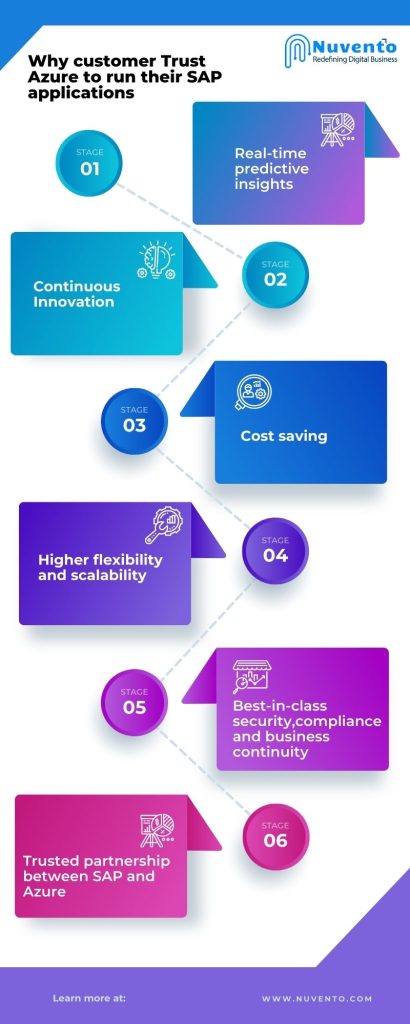
SAP solutions on Azure means insights and agility
Continuous innovation
Cost savings
Higher flexibility and scalability
Best-in-class security, compliance and business continuity
Trusted partnership between SAP and Azure
How to migrate your SAP solutions to Azure
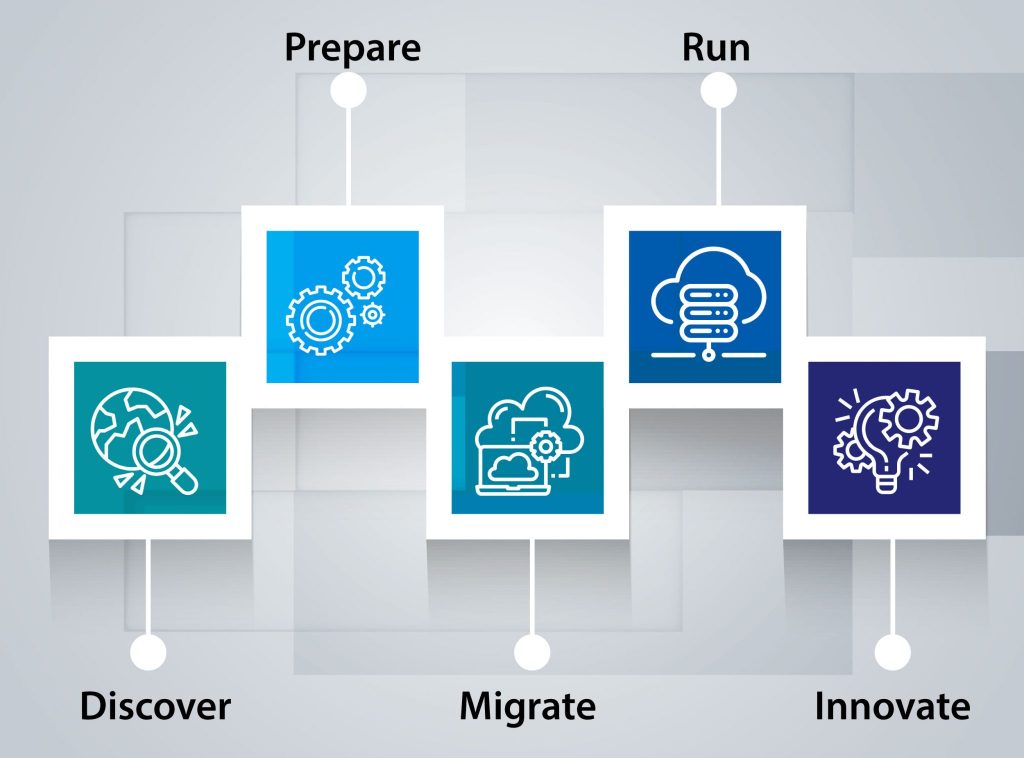
Discover
- Create an inventory and catalog the current SAP estate: Document all SAP and non-SAP solutions. Analyze current infrastructure configuration. Right-size compute, storage and networking requirements based on current usage and estimated requirements. Assess which workloads must be refreshed, renewed or replaced. Then define goals for capabilities you want to achieve with Azure.
- Staff: Identify who the key stakeholder is and empower IT staff with the necessary training to anticipate and advance technical changes. This will align teams and set expectations. You will also be able to develop an action plan with assigned resources and commitments.
- Involve your partner early: Help your migration partner by involving them early in the process so they can understand your current IT infrastructure, prioritize what you want to build and envision the migration process to ultimately achieve your cloud migration goals.
Prepare
Migrate
Initiate the migration process strategy and go live
- Activate: When it’s time to kick-start your campaigns, you can consider starting off with a pilot to check how the migration works. You need to make sure that your migration covers all your required capabilities. You also must anticipate plan for downtimes and communicate technology changes to the organization.
- Deploy: You can use open source SAP deployment frameworks to make the processes simpler. These components automate the deployment of your SAP infrastructure based on SAP on Azure references and follow the best practices recommended by SAP and Micrsoft. You can use these services to streamline migration to your new cloud environment.
- When it comes to your SAP estate – think long term!
- Check out Microsoft’s SAP VM deployment guide.
- Check out backup and recovery options.
- Check compute, storage, network and access controls for the SAP solutions you want to move to the cloud.
Run
Innovate
To learn more, visit the SAP on Azure migration center section to find the resources you need to streamline the migration of your SAP landscape to Azure and begin your cloud transformation journey.
Helping major customers deploy thousands of SAP instances to Azure, Microsoft today offers a well-defined migration journey for SAP workloads.
Benefits of SAP on Azure
More flexibility – Azure data centers are available to provide all forms of SAP requirements on an immediate basis and make it easy to meet system demands flexibly. Scaling up or down is also efficient with Azure.
Lower Cost – Cost-effectiveness is one of the primary reasons to choose SAP on Azure. The operational costs can be cut down to 45-75% based on the migration model. Customers can also build upon existing infrastructure using massive Azure integration benefits and save on prices.
Enhanced security– Exhaustive industry compliance coverage with about 25 trust certifications shows that Azure prioritizes data privacy and application security. All the critical infrastructure is hosted on reliable and secure platforms, and it has built-in disaster recovery systems. The Azure cloud footprint covers over 40 regions which lowers the risks of outages.
Increased productivity– Azure has a range of features from IoT to Data analytics and AI that is up to date with the latest technology trends. For instance, it helps to conduct predictive analysis by facilitating visualization of SAP HANA data on Power BI. It also integrates complex operations with simple tools like Outlook, SharePoint, and Office 365 to enhance the SAP experience.
Improved performance – Azure offers massive computing power that supports both, R/3 and S/4 HANA workloads and provides a smooth run to most SAP applications. This provides a better user experience and frictionless functioning.
Azure Monitor for SAP Solutions
Some of the key features of Azure Monitor for SAP solutions are:
Multi-instance/multi-provider – This allows customers to get telemetry data from multiple systems of the same source system type or multiple systems of different source system types. With this feature, one monitoring resource can be used to monitor multiple SAP HANA instances and multiple Pacemaker clusters.
SAP HANA DB telemetry – With SAP HANA DB telemetry, customers can collect and view HANA Backup and HSR telemetry and the infrastructure utilization data from various SAP HANA instances in one location with the Azure portal.
Microsoft SQL Server telemetry – Get telemetry data from Microsoft SQL Server and visualize and correlate telemetry data such as CPU and memory with top SQL statements.
High-availability (HA) cluster telemetry– This feature allows customers to collect telemetry data from Pacemaker clusters and identify the clusters that are healthy versus unhealthy and correlate this with the health of underlying node and resource health.
The major benefits of Azure Monitor for SAP Solutions include:
Easy collection and consolidation of telemetry data from Azure infrastructure and databases in a central location, independent of the underlying infrastructure such as Azure Virtual Machines, Azure Large Instances, or both.
Visually correlate telemetry between different components for faster troubleshooting using the telemetry data.
Customers can create Azure dashboards to see telemetry from both the SAP and non-SAP components running on Azure with Pinning. This combines telemetry from Azure Monitor for SAP Solutions (used to monitor SAP landscape components) with telemetry from Application Insights or Log analytics (used to monitor non-SAP components).
Create customized charts and graphs by editing the visualizations. Identify patterns, configure alerts to get proactive notifications, and configure custom data retention period to retain telemetry data for trend analysis by running custom Kusto queries on raw data collected by Azure Monitor for SAP Solutions
Integrate with Azure Lighthouse to enable partners to help their customers with monitoring and troubleshooting their SAP on Azure landscapes by viewing telemetry across different tenants as per appropriate access policies.
Recent Advancements in Azure-SAP Partnership
Integrating Microsoft Teams with SAP Solutions
The pandemic brought about changes in consumer buying habits. It has altered how people connect and communicate while working remotely and dealing with travel restrictions. To allow flexibility in working and increase productivity, Microsoft Teams has been integrated across all SAP solutions on Azure. This has made an impact on the day-to-day activities of employees. For instance, the use of Microsoft Teams shot up from 44 million active daily users in March 2020 to 115 million by 1 October 2020 and is now used by more than 500,000 organizations. This integration has allowed customers to collaborate more effectively with business partners, modernize the remote sales experience, and foster learning communities such as virtual learning to upskill and reskill. Customers can respond more quickly to changing demands by bringing critical data and tools from SAP S/4HANA into Microsoft Teams. They can empower sellers to connect better with customers through the integration of SAP Sales Cloud with Microsoft Teams and give employees simple and engaging ways to stay connected and stay informed by integrating Microsoft Teams across SAP products including SAP S/4HANA and SAP SuccessFactors.
Easing Migration to SAP S/4HANA on Microsoft Azure
SAP and Microsoft have both worked on simplifying the digital transformation through Azure. To simplify the move from on-premises SAP S/4HANA in the cloud and improve the migration efficiency, SAP and Microsoft are automating the SAP S/4HANA migration to Azure. They also provide common essential reference architectures to give customers the technical details and insights that they need to operate SAP S/4HANA on Microsoft Azure. They continue to provide customers value by expanding engineering, interoperability, and monitoring for customers who want to modernize their enterprise applications by running SAP S/4HANA on Microsoft Azure. The endorsed cloud collaboration is planning to continue to work on SAP S/4HANA on Microsoft Azure with migration tooling and automation, enhanced monitoring, and platform and application security and provisioning. Some of the integration capabilities include automated landscape creation features, cognitive features with SAP S/4HANA, and landscape migration and deployment improvements.
Ensuring Global Availability, Integration, Connectivity, and Security
SAP Business Technology Platform provides an open, integrated platform that enables developers to create intelligent and frictionless end-to-end business processes and build and extend SAP and non-SAP applications quickly. Combining SAP Business Technology Platform with Microsoft Azure’s platform can help customers to expand into new markets and create new scalable and reliable business models.
SAP and Microsoft are expanding global availability while improving the customer experience for enterprise architects, DevOps, system administrators, and information security experts using SAP solutions on Microsoft Azure. The capabilities being addressed includes event integration, simplified administration and provisioning of users between Microsoft and SAP, and faster and simpler landscape creation and provisioning.
Some of the other improvements include more secure network integration, improved network performance, better integration of Microsoft Azure and SAP software development environments, and better provisioning and management of Microsoft Azure services on the platform. SAP and Microsoft will continue to provide reference architectures, enriched with enterprise architecture methodology, to guide and support customers in building SAP software and Microsoft Azure landscape in all the efforts.
< Combining SAP Business Technology Platform with Microsoft Azure’s platform >